
Download The Elder Scrolls V Skyrim Anniversary Edition v70738-GOG
Game Details
Release name : The Elder Scrolls V Skyrim Anniversary Edition v70738-GOG
Size : 26.0 GB
Title : The Elder Scrolls V: Skyrim Special Edition
Genre : RPG
Developer : Bethesda Game Studios
Publisher : Bethesda Softworks
Store: click here
Release Date : 27 Oct, 2016
Screenshots
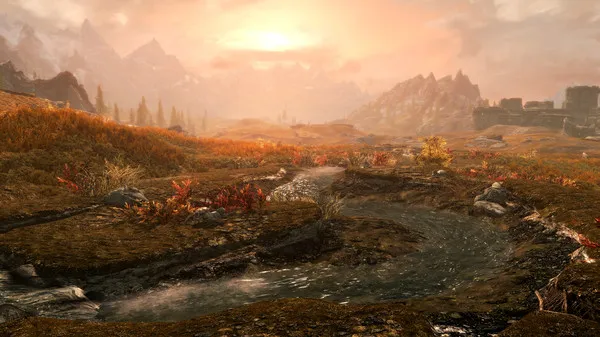
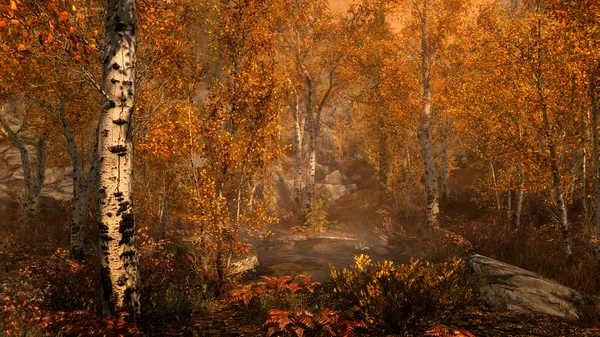
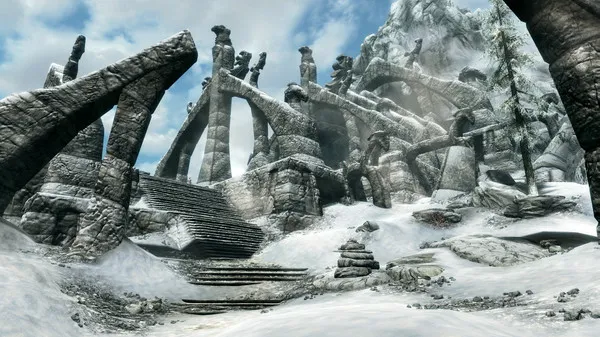
Gameplay
About This Game :
Winner of more than 200 Game of the Year Awards, The Elder Scrolls V: Skyrim Special Edition brings the epic fantasy to life in stunning detail. The Special Edition includes the critically acclaimed game and add-ons with all-new features like remastered art and effects, volumetric god rays, dynamic depth of field, screen-space reflections, and more.
Skyrim Special Edition also brings the power of Bethesda Game Studios Creations to PC and consoles. New quests, environments, characters, dialogue, armor, weapons and more – with Creations, there are no limits to what you can experience.
System Requirements for The Elder Scrolls V: Skyrim Special Edition Download Free
MINIMUM :
OS *: Windows 7/8.1/10 (64-bit Version)
Processor: Intel i5-750/AMD Phenom II X4-945
Memory: 8 GB RAM
Graphics: NVIDIA GTX 470 1GB /AMD HD 7870 2GB
Storage: 12 GB available space
RECOMMENDED :
OS *: Windows 7/8.1/10 (64-bit Version)
Processor: Intel i5-2400/AMD FX-8320
Memory: 8 GB RAM
Graphics: NVIDIA GTX 780 3GB /AMD R9 290 4GB
Storage: 12 GB available space
How To Install The Elder Scrolls V: Skyrim Special Edition Download Free
1. Download The Game.
2. Extract with WinRAR
3. Install The Game.
4. Play!.
Download The Elder Scrolls V: Skyrim Special Edition Download Free
 Torrent link
Download The Elder Scrolls V Skyrim Anniversary Edition v70738-GOG.Torrent
Download The Elder Scrolls V Skyrim Anniversary Edition v70738-GOG Direct Link


Stay related to the article's topic.
Avoid unnecessary links or spam.
No offensive language, insults, or personal attacks.
Have a question unrelated to this article? Visit our Questions Section .
Join the Discussion
Share your thoughts with us