
Download Kao the Kangaroo 2000 Build 10936471
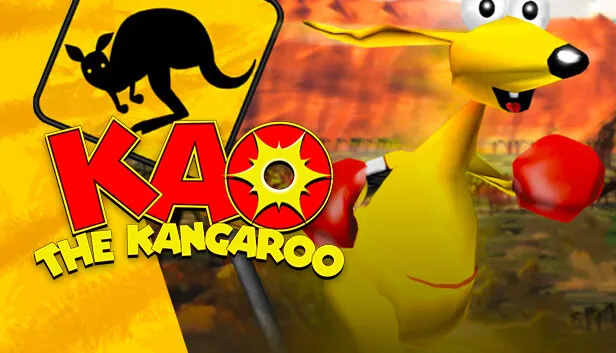
Game Details
Release name : Kao the Kangaroo 2000 Build 10936471
Size : 142.1 MB
Title : Kao the Kangaroo (2000 re-release)
Genre : Action, Adventure
Developer : Tate Multimedia
Publisher : Tate Multimedia
Store: click here
Release Date : 27 Apr, 2023
Screenshots

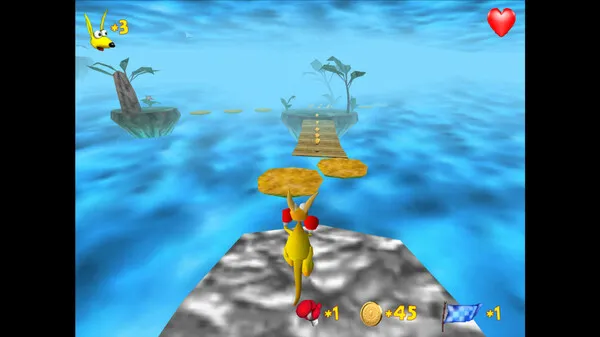
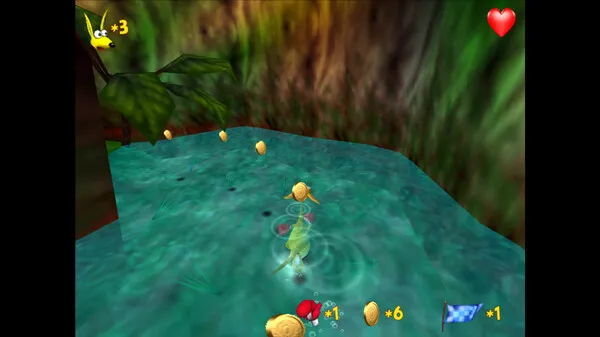
Gameplay
About This Game :
After being kidnapped from his beautiful home, Kao must find his way back to Australia. Armed with comedy-sized boxing gloves, Kao hops, skips, and triple jums his way across magnificently colored landscapes. Legs the size of a professional bodybuilders aren’t the only means of locomotion for this furry bundle of fury. Use hang gliders, motorboats, snowboards, and even a space scooter.
- 5 worlds with more than 45 levels!
- Many vehicles to ride – snowboard, space scooter, hang glider, alligator, and more!
- Tons of enemies: pig with a lollipop club, a sailor who would love nothing more than to swab the deck with Kao, an angry Eskimo, a happy Aborigine, and a shark hungry for a kangaroo sandwich and more!
- Incredible graphics!
- Three difficulty levels!
- Bonus & Power-Ups to collect, such as energy, coins, power gloves, checkpoints, freeze, speed-up!
- Awesome music & sound effects within each level!
System Requirements for Kao the Kangaroo (2000 re-release) Download Free
MINIMUM :
OS: Win 7 or newer
Processor: 600 MHz
Memory: 128 MB RAM
Graphics: 32 MB graphic card compatible with DirectX 8.1
DirectX: Version 9.0c
Storage: 260 MB available space
Sound Card: 100% DirectX compatible card or onboard sound
How To Install Kao the Kangaroo (2000 re-release) Download Free
1. Download The Game.
2. Extract with WinRAR
3. Play!.
Download Kao the Kangaroo (2000 re-release) Download Free
Download Kao the Kangaroo 2000 Build 10936471 Direct Link






Stay related to the article's topic.
Avoid unnecessary links or spam.
No offensive language, insults, or personal attacks.
Have a question unrelated to this article? Visit our Questions Section .
Join the Discussion
Share your thoughts with us