Download Call of Duty Modern Warfare (2019) v8.67-.r4v3n
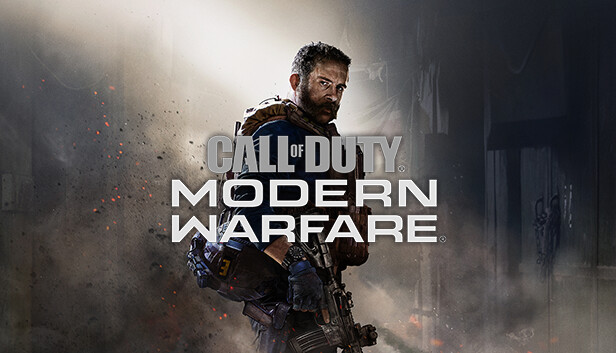
Game Details
Release name : Call of Duty Modern Warfare (2019) v8.67-.r4v3n
Size : 197.28 GB
Title : Call of Duty®: Modern Warfare®
Genre : Action, Shooter
Developer : Infinity Ward, Beenox, High Moon Studios, Raven Software
Publisher : Activision
Store : click here
Release Date : 8 Mar, 2023
Credits / Released By: Based on InsaneRamZes files + .r4v3n V3 + Goldberg alex47exe fork
Screenshots


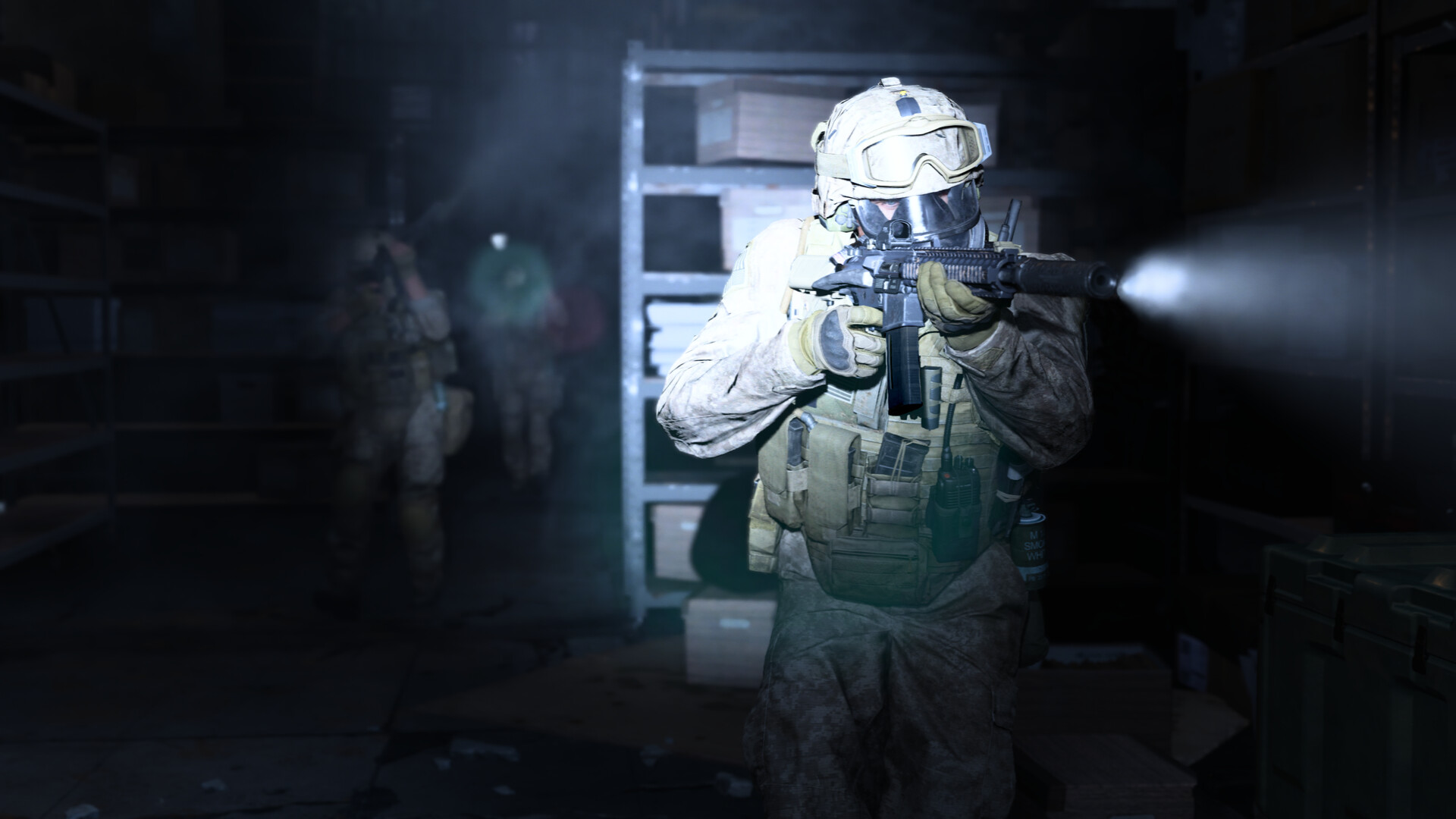

Gameplay
About This Game :
Includes:
– Call of Duty®: Modern Warfare®
– In-game XRK Weapons Pack
– In-game Tactical Knife
Experience a visceral Campaign or assemble your team in the ultimate online playground with multiple Special Ops challenges and a mix of Multiplayer maps and modes.
System Requirements for Call of Duty®: Modern Warfare®
MINIMUM :
- OS: Windows® 10 64-bit
- Processor: Intel® Core™ i3-4340 or AMD FX-6300
- Memory: 8 GB RAM
- Graphics: NVIDIA® GeForce® GTX 670 / NVIDIA® GeForce® GTX 1650 or AMD Radeon™ HD 7950
- DirectX: Version 12
- Network: Broadband Internet connection
- Storage: 175 GB available space
RECOMMENDED :
- OS: Windows® 10 64-bit latest update
- Processor: Intel® Core™ i5-2500K or AMD Ryzen™ R5 1600X Processor
- Memory: 12 GB RAM
- Graphics: NVIDIA® GeForce® GTX 970 / NVIDIA® GeForce® GTX 1660 or AMD Radeon™ R9 390 / AMD Radeon™ RX 580
- DirectX: Version 12
- Network: Broadband Internet connection
- Storage: 175 GB available space
How To Install Call of Duty®: Modern Warfare®
1. Download The Game.
2. Extract with WinRAR
3. Launch the game via start_cod.bat.
4. Enjoy !
Notes:
- – Firstly, make sure the path on where you put the game folder is short and doesn’t contain non latin characters or symbols to avoid issues with game launching.
– Extract everything in this archive into the game’s directory.
– Start the game through !start_cod.bat and keep the console window open until it closes by itself when you close the game.
– If running !start_cod.bat doesn’t do anything, read the 1st step again. Campaign, Multiplayer with bots, and Coop game modes are fully playable (with some minor issues, check side notes below) with everything unlocked (weapons, operators, customizations, etc). LAN is currently not working, only offline play with bots for now (so don’t bother asking about LAN). Stats (loadouts, operators, customizations, etc) can now be saved locally. If anything happens with the stats, check the side notes. And keep in mind that some modes has a different set of stats, meaning that not every modes has the same set of loadouts. This release uses a fork of GSE by alex47exe (originally created by Mr_Goldberg) for the steam emulator. You can change playername and language by editing steam_settings/configs.user.ini but make sure that you have installed the appropriate language files first. Hotkeys:
– Cbuf: Right Control + / (press this hotkey in the external console window)
– Noclip: Right Control + N
– God Mode: Right Control + MTo set a different keybind for each hotkeys, modify the “virtual key codes” values in profile.ini. The decimal values for each keyboard keys can be found in many places on the internet (search query: virtual key codes). Side notes:
– If for some reason you got the stats all messed up, execute “resetstats” in cbuf to reset your stats (or delete the “_stats” folder)
– Some Ground War maps and Operation Headhunter coop mission are currently not working (physics related issues caused by collisions)
– Campaign missions can be unlocked all at once by executing ‘unlock_missions’ command
– BR mode can be selected from the gamemode list after executing ‘set QTQRQPLNK 1; set MLQNQTRRTK 1; set MKQQKMRORQ 16; exec br_core.cfg’ in the lobby
– Calling cards and emblems menus are not working, though they’re not usable anyway. But if you really wanna explore them, then enable “Live_IsUserSignedInToDemonware” debug setting on the ini file (though this can cause the frontend to not load properly)
– I’ve heard reports of people getting stuck on broken online menus, this can happen when you’re trying to edit the loadouts before creating a lobby. To work around this, make sure to create a lobby first before editing the loadouts.
– Trials can now be started from the Trials menu (only if you start them from online mp menu) -
(Follow these steps only if your game fails to launch)
- The Windows username must not contain Cyrillic.
- Remove the read-only attribute from the game folder.
- Remove the game folder from the torrent client before launching the game.
- Disable the antivirus, as it can block the launch of executable and/or additional files.
- As a last resort, download the folder with the game completely, all over again.
Download Call of Duty®: Modern Warfare®
 Torrent link
Download Call of Duty®: Modern Warfare®.Torrent

Stay related to the article's topic.
Avoid unnecessary links or spam.
No offensive language, insults, or personal attacks.
Have a question unrelated to this article? Visit our Questions Section .
Join the Discussion
Share your thoughts with us