
Download DockBar Build 22582052
Game Details
Release name : DockBar Build 22582052
Size : 12.61 MB
Title : DockBar
Genre : Utilities
Developer : Wapkain
Publisher : Wapkain
Store: click here
Release Date : 18 Mar, 2026
Screenshots
Gameplay
About This Game :
About This Software
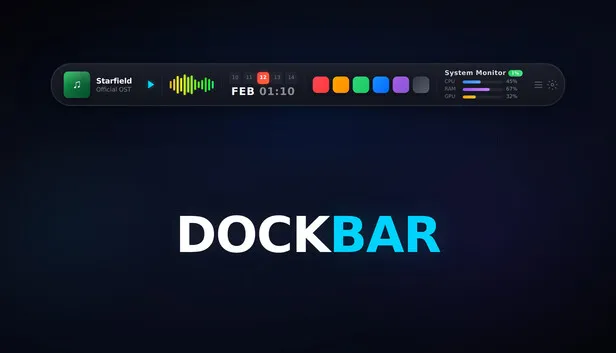
One bar on top of your screen. An entire control center.
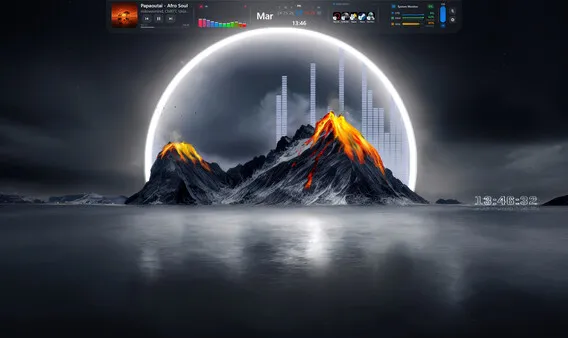
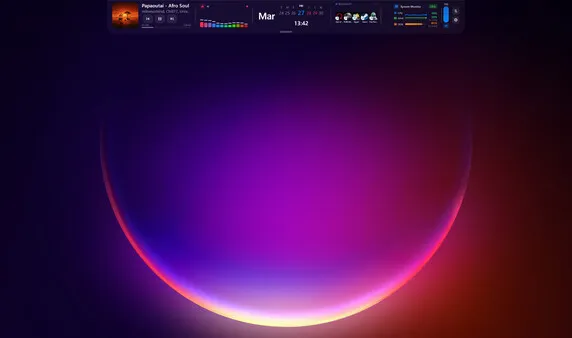
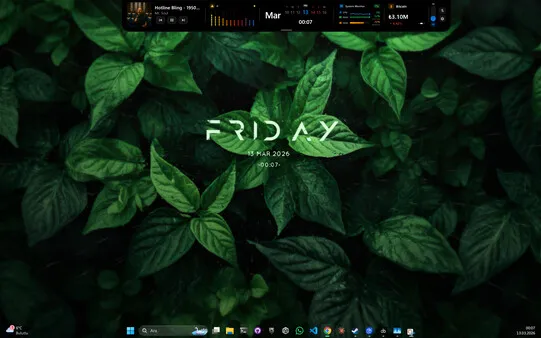
Think of it as a Dynamic Island for Windows — a slim, elegant bar that lives at the top of your desktop. It has everything you need inside: music controls, system status, timers, notes, a to-do list, and a quick app launcher. No need to close any windows — everything at a glance.
10 Widgets, Endless Control
🎵 Media Player — Control Spotify, YouTube, and all system audio. Song title, album art, progress bar, and elapsed time update in real time.
📊 System Monitor — See CPU, RAM, and disk usage instantly. Always know how your machine is doing.
🎛️ Audio Visualizer — A live equalizer animation that reacts to your music. Works with external audio devices and Bluetooth speakers too.
⏱️ Pomodoro & Stopwatch — Focus sessions or time tracking. Stay in control of your time while you work.
📝 Quick Notes — Jot down anything instantly. No need to open another app.
✅ To-Do List — Add tasks, check them off, stay on track. Simple and effective.
🚀 Quick Launcher — Access your most-used apps with a single click.
📅 Calendar — Keep track of your schedule without leaving your workflow.
🌐 9 Language Support — English, Turkish, German, French, Spanish, Portuguese, Russian, Japanese, and Korean.
Make It Yours
🪟 Liquid Glass Theme — Apple-inspired translucent glass aesthetic powered by Windows Acrylic blur. Your wallpaper shows through the bar.
🎨 Bar Textures — 6 built-in themes (Galaxy, Sakura, Noise, Ocean, Avatar World, Good Bad Souls) or load your own image. Supports JPEG, PNG, WebP, BMP.
🎨 Accent Color System — Choose from 8 preset colors applied instantly across the entire UI.
📐 UI Scale — Adjust bar size from 60% to 115%. Perfect fit for any screen size.
🖥️ Multi-Monitor Support — Per-monitor fullscreen detection. Playing a game on Monitor 1? The bar on Monitor 2 stays visible. Position corrects automatically when switching displays.
Why DockBar?
Your desktop is already cluttered. The taskbar isn’t enough, widget panels take up space. DockBar is different: it’s like a thin line sitting at the very top of your screen. It’s there, but never in your way. When you need it, everything is visible at a glance.
65–75 MB memory usage (may increase with Liquid Glass, textures, or multiple widgets enabled). Low CPU impact. Auto-hides during fullscreen apps and games.
First Time Setup
After installing, open Settings to configure DockBar for your setup. Features like Auto-hide, Glass Effect, UI Scale, and display selection are off or at defaults — adjust them to match your screen size, monitor layout, and preferences. Taking a minute to explore Settings will give you the best experience.
Active Development
DockBar is constantly evolving. New widgets, new features, and improvements based on community feedback are released regularly. When you buy DockBar, you’re not just getting today’s product — you’re getting every future update too.
From the Developer
A solo project I built from scratch. I made DockBar for myself — I wanted one place to reach everything I constantly need on my desktop. Then I thought, maybe others want that too. I read every piece of feedback and do my best to act on what makes sense. Thanks for the support.
System Requirements for DockBar Download Free
MINIMUM :
Requires a 64-bit processor and operating system
OS: Windows 10 or Windows 11
Processor: Dual-core 1.5 GHz
Memory: 4 GB RAM
Graphics: Integrated graphics
RECOMMENDED :
Requires a 64-bit processor and operating system
How To Install DockBar Download Free
1. Download The Game.
2. Extract with WinRAR
3. Play!.
Download DockBar Download Free
Download DockBar Build 22582052 Direct Link


Comments