
Download Fireworks Show Simulator Build 25620570
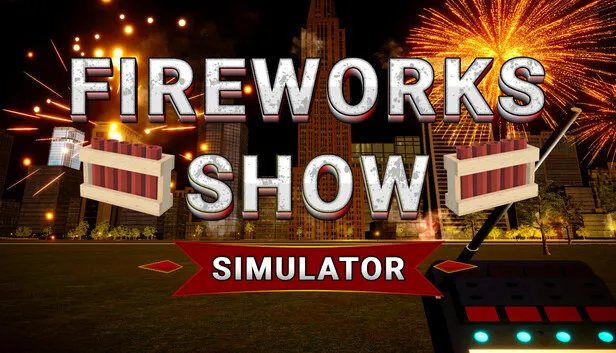
Game Details
Release name : Fireworks Show Simulator Build 25620570
Size : 423.11 MB
Title : Fireworks Show Simulator
Genre : Indie, Simulation, Early Access
Developer : Simplay Studio
Publisher : Simplay Studio
Store: click here
Release Date : 30 Sep, 2026
Screenshots
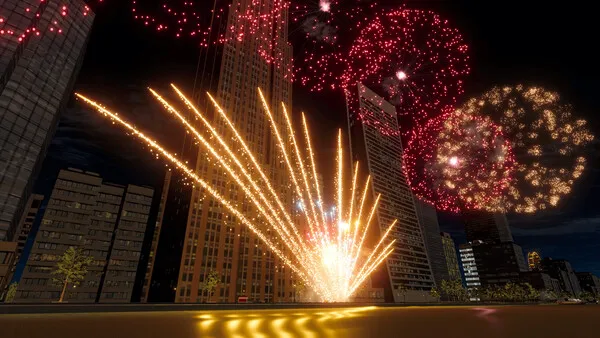
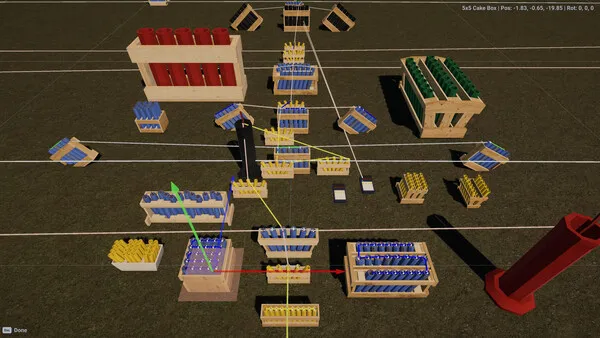

Gameplay
About This Game :
Fireworks Show Simulator is a fireworks display design and simulation game focused on creating beautiful shows, experimenting with effects, and enjoying fireworks as a hobby.
🎇 Place racks, load shells, connect firing modules
🎇 Launch the show and watch it from ground level
🎇 Watch the launch up close
🎇 Water Reflections
🎇 Free Fly Camera
Key Features:
• Build fireworks displays using racks and shell effects
• Connect firing modules and create cue sequences
• Launch and control shows using the firing system
• Watch displays from any position with free camera and fly mode
System Requirements for Fireworks Show Simulator Download Free
MINIMUM :
Requires a 64-bit processor and operating system
OS: Windows 10 64-bit
Processor: Intel Core i5-6600K / AMD Ryzen 5 1600
Memory: 8 GB RAM
Graphics: NVIDIA GTX 1060 6GB / AMD RX 580
DirectX: Version 11
Storage: 2 GB available space
Additional Notes: Actual performance depends on the size and complexity of your fireworks show.
RECOMMENDED :
Requires a 64-bit processor and operating system
OS: Windows 11 64-bit
Processor: Intel Core i7-10700K / AMD Ryzen 7 3700X
Memory: 16 GB RAM
Graphics: NVIDIA RTX 3060 / AMD RX 6700 XT
DirectX: Version 12
Storage: 2 GB available space
Additional Notes: Recommended for large fireworks shows with many simultaneous effects.
How To Install Fireworks Show Simulator Download Free
1. Download The Game.
2. Extract with WinRAR
3. Play!.
Download Fireworks Show Simulator Download Free
Download Fireworks Show Simulator Build 25620570 Direct Link



Stay related to the article's topic.
Avoid unnecessary links or spam.
No offensive language, insults, or personal attacks.
Have a question unrelated to this article? Visit our Questions Section .
Join the Discussion
Share your thoughts with us