
Download Palpus X Annihilation Build 22026515
Game Details
Release name : Palpus X Annihilation Build 22026515
Size : 721.62 MB
Title : Palpus X Annihilation
Genre : Action, Indie, RPG
Developer : Sebastian Vargek (Meister Palpus)
Publisher : Sebastian Vargek (Meister Palpus)
Store: click here
Release Date : 17 Feb, 2026
Screenshots
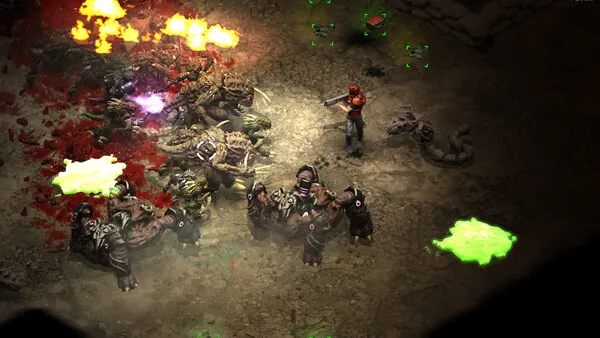
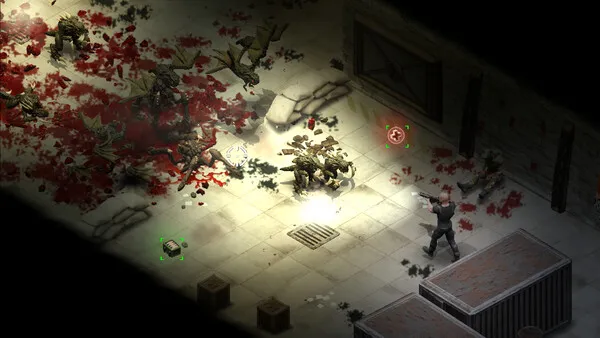
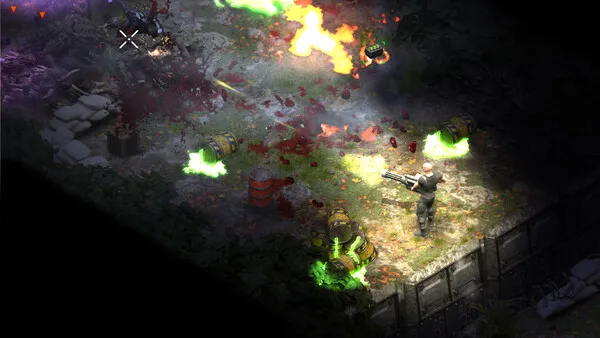
Gameplay
About This Game :

THOUSANDS OF EVIL ALIEN MONSTERS ATTACK CONSTANTLY! BE ON YOUR TOES, STEER THE MASSES AND REACT FAST TO ENEMY AMBUSHES!
-
12 unique enemy types
-
14 weapons to find on your mission
-
Relentless hordes want to eat you
-
Avoid constant laser fire, rockets and mortars!
-
Watch your back at all times! (especially in the dark)

AUTOMATIC CHAINGUN TOWERS, HEAVY ARMED TRUCKS, HUGE DEFENSE TURRETS.
-
Play a handcrafted Campaign and Horde Mode
-
Control turrets and chaingun trucks
-
Explore different locations and find secret areas
-
Use explosives and turrets to your advantage
-
Skill up your characters abilities: Health, Strength, Accuracy and Speed
-
Leave nothing but a bloody mess behind!

BLOOD, BODIES, BULLET CASINGS… ALL DESTRUCTION STAYS FOREVER
-
Tons of chunks, splats, smoke and fire fill the screen.
-
Accompanied by the sound of your chaingun and a Heavy Metal soundtrack
-
Beautiful dynamic light system
(Ohh and there’s also a story):
The company has assigned you to investigate the sudden halt in communication from one of their high-tech research facilities.
They’ve picked up some strange bio-signals down there…
System Requirements for Palpus X Annihilation Download Free
MINIMUM :
OS: Windows 10
Memory: 300 MB RAM
How To Install Palpus X Annihilation Download Free
1. Download The Game.
2. Extract with WinRAR
3. Play!.
Download Palpus X Annihilation Download Free
Download Palpus X Annihilation Build 22026515 Direct Link



Stay related to the article's topic.
Avoid unnecessary links or spam.
No offensive language, insults, or personal attacks.
Have a question unrelated to this article? Visit our Questions Section .
Join the Discussion
Share your thoughts with us